A secure, single user Windows desktop application built for Krishi Vigyan Kendra Dhalai, Salema, Tripura - replacing manual cash ledgers with a structured, audit ready digital cash book featuring tamper evident logs, automated backup and print ready statements.
Krishi Vigyan Kendra Dhalai (KVK Dhalai) is a district level Farm Science Centre operating under the Indian Council of Agricultural Research, engaged in transferring latest agricultural technologies to end users across Tripura. As a government affiliated organisation, its office cash book - recording all cash receipts and expenditures - was subject to periodic inspection by audit authorities. Accuracy, completeness and traceability of every entry were non-negotiable.
At the time, KVK Dhalai maintained this entirely through handwritten ledgers. The process required significant pen and paper work, was less secure and offered no quick way to retrieve historical entries or generate statements for a specific time period. A single accountant held access responsibility and there was no safeguard against data loss from a system failure.
Core ask: Build a single-user desktop cash book system that records all cash receipts and expenditure transactions, preserves a tamper evident audit trail of every operation, guards against data loss through automated backup and produces print ready statements for any date range - eliminating the paper ledger entirely.
This was my third year MCA internship project (Internship Program II, CA660) at ICFAI University, Tripura, completed at KVK Dhalai from January to June 2014 under the guidance of Mr. Subrata Shib (Programme Coordinator, KVK Dhalai) and co-guides Mr. Debaraj Barman, Mr. Pradip Kumar Das, Mr. Ramanuj Chakraborty and Dr. Alak Chowdhury.
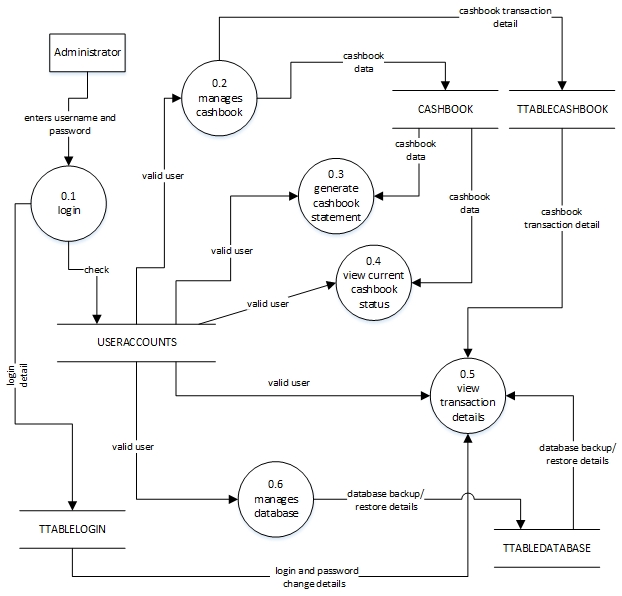
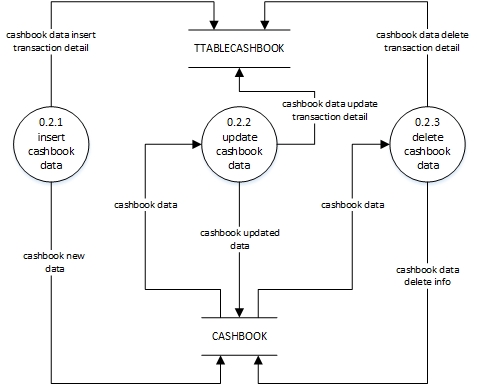
Built as a Windows Forms single-user desktop application in VB.NET, with Microsoft SQL Server as the backend database. SQL Server was chosen over lighter alternatives to provide stronger transaction integrity for the concurrent audit log writes the security model required. All cashbook operations - insert, update, delete - were designed to write simultaneously to both the primary CASHBOOK table and the TTABLECASHBOOK audit table, ensuring the trail remained consistent even in the event of an unexpected process termination.
The iterative waterfall model was followed as the SDLC approach: feasibility, requirements specification, design (DFDs at three levels, E-R diagram, Use Case diagram), coding and testing - with structured feedback loops between phases.
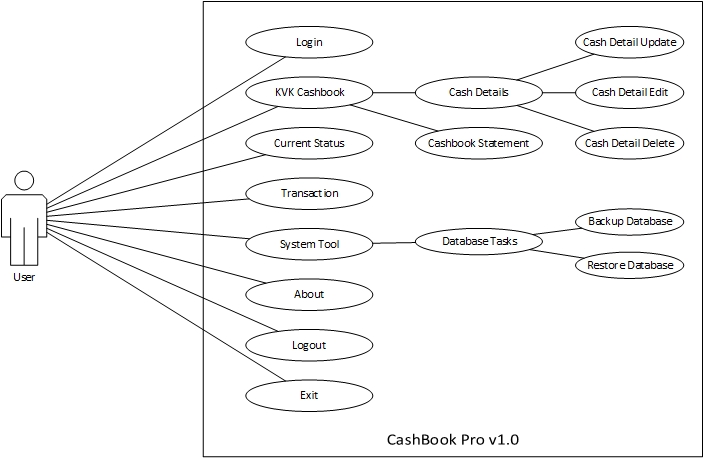
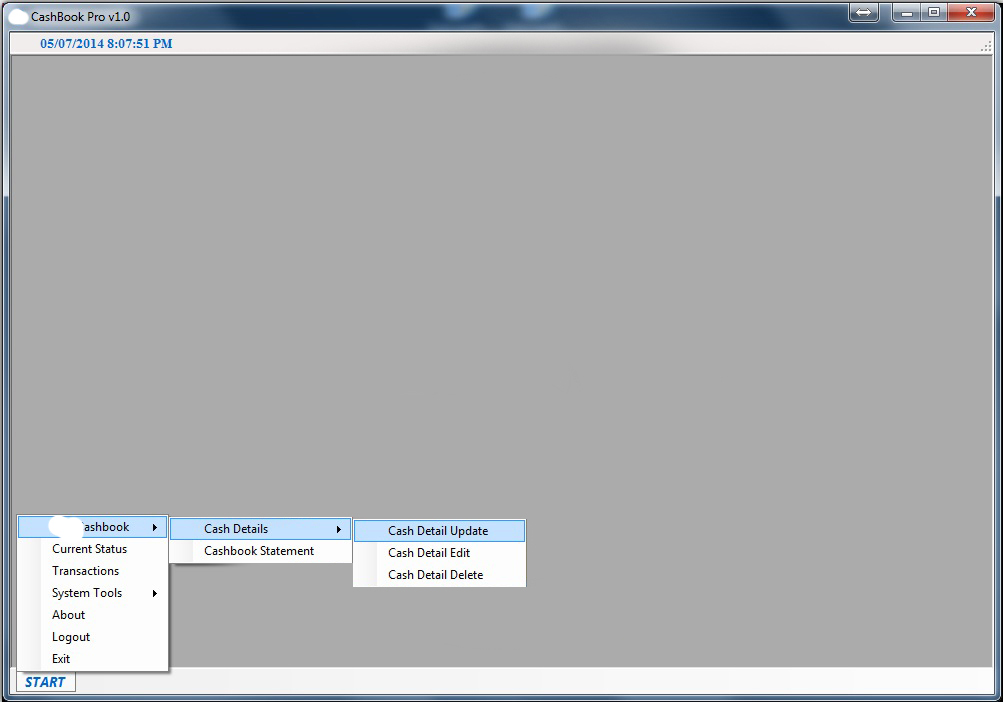
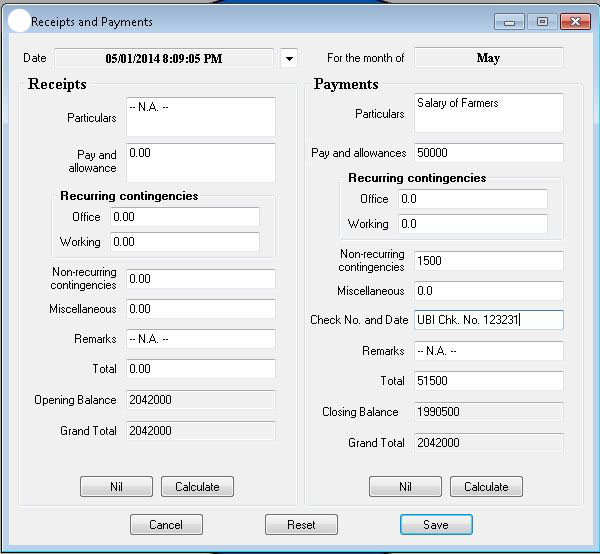
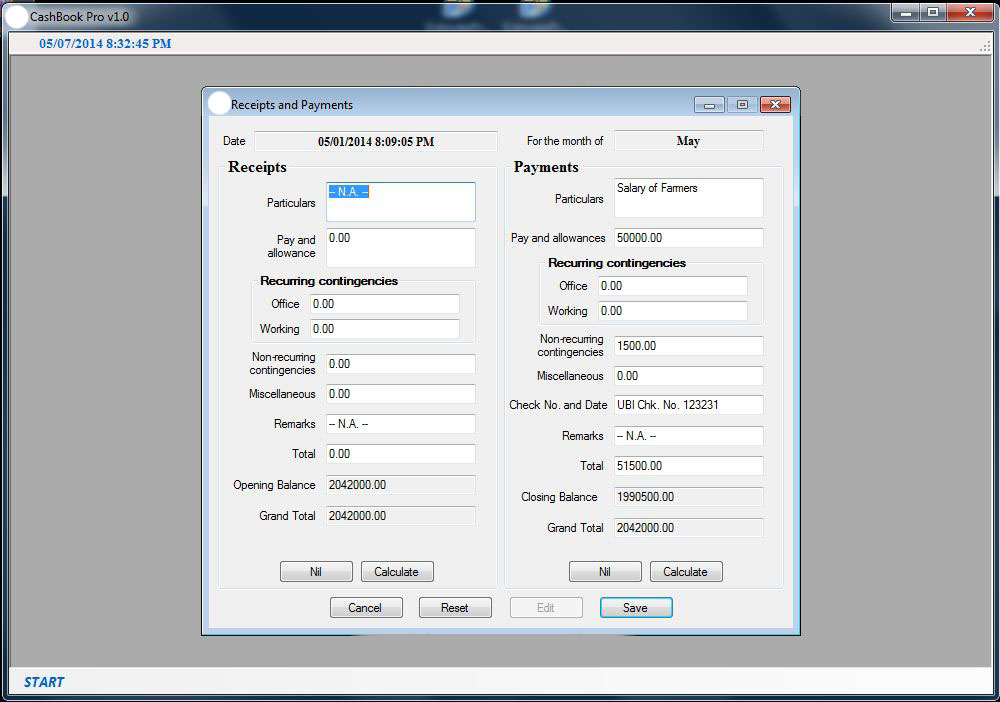
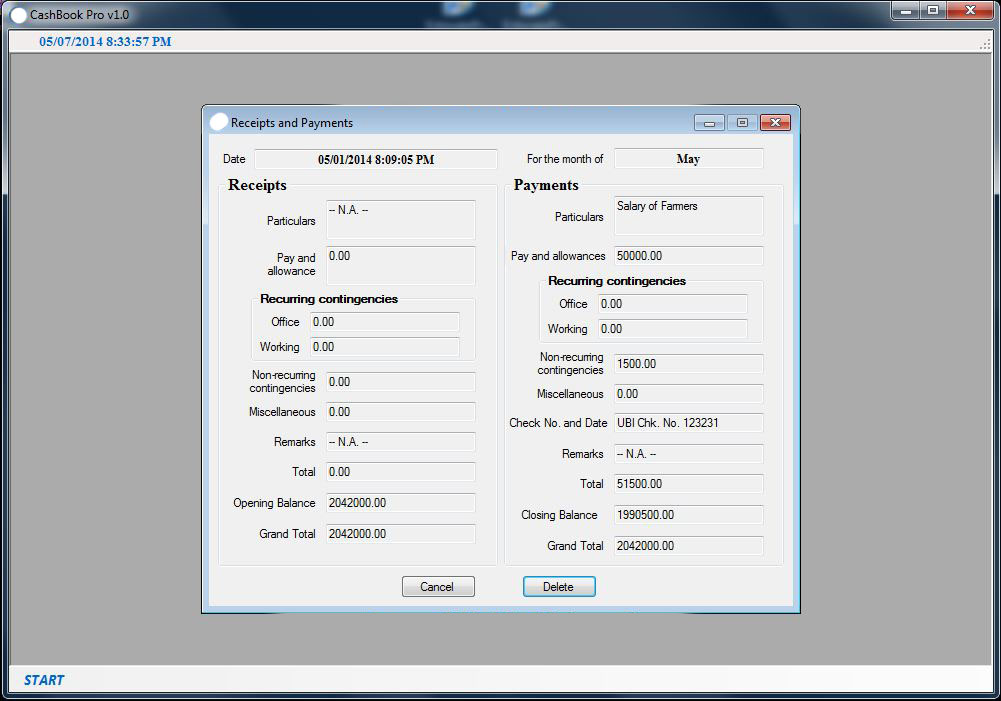
Create (Cash Detail Update), edit the last entry (Cash Detail Edit) and delete the last entry (Cash Detail Delete) - each operation logged automatically to the audit trail.
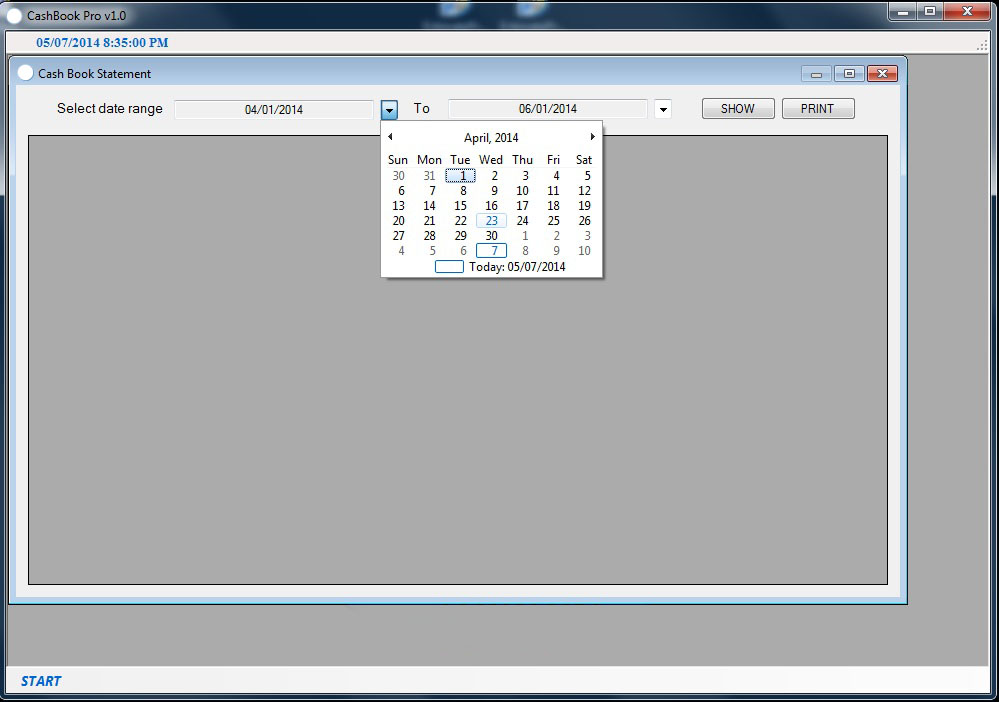
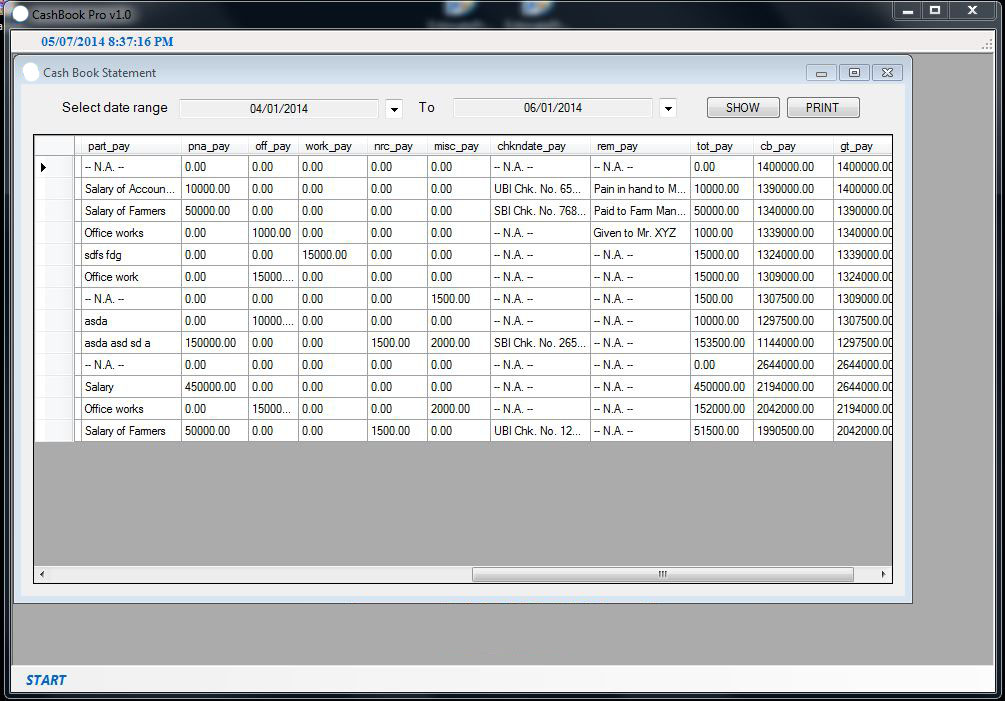
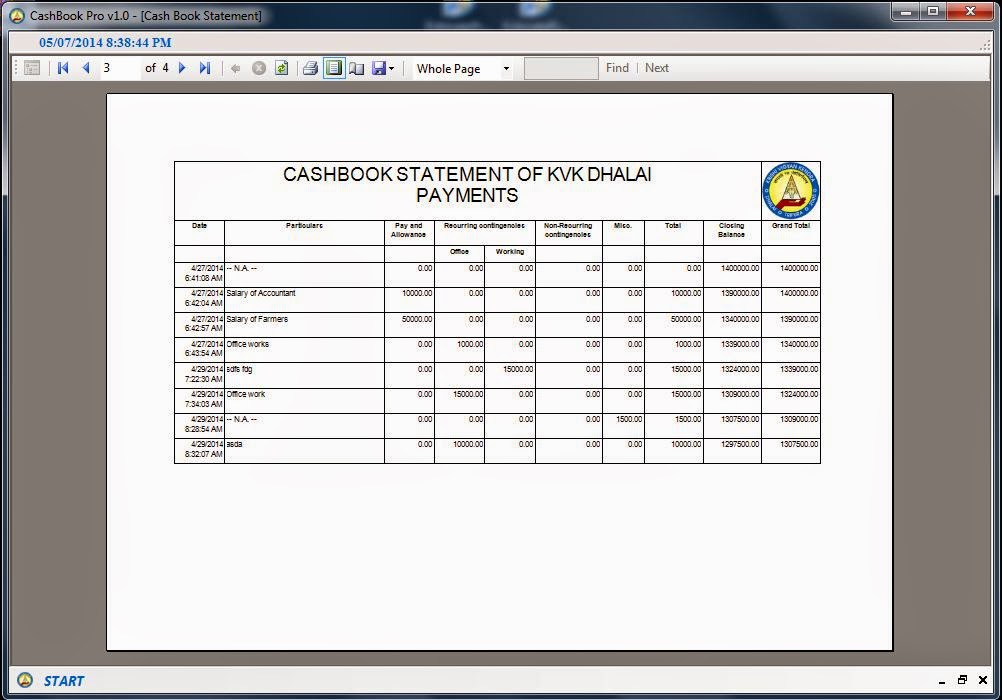
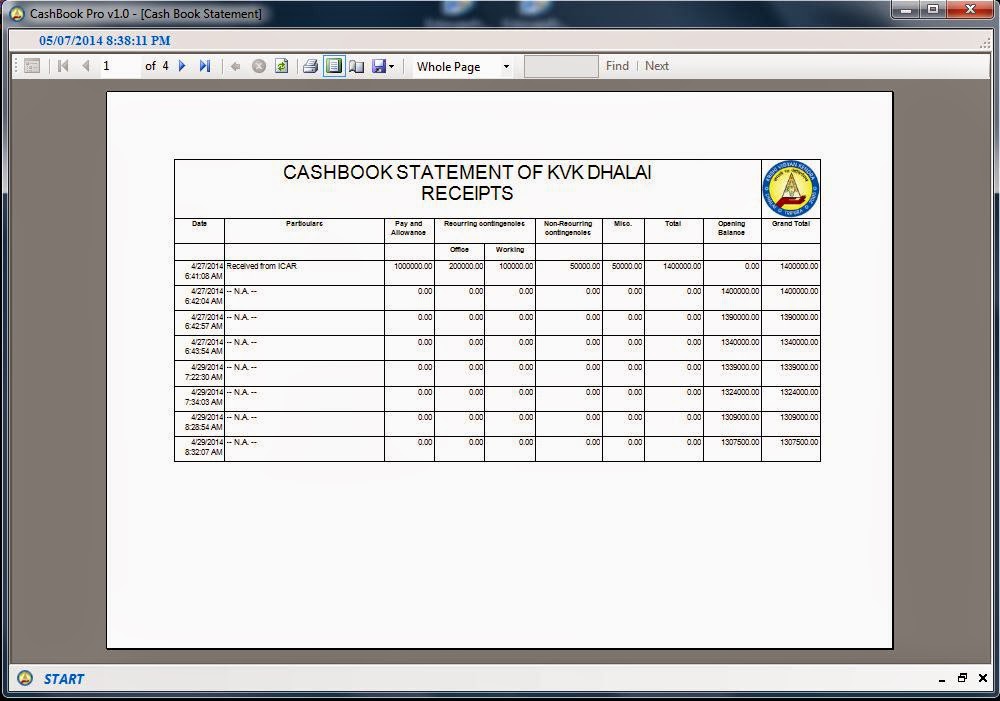
View and print the cashbook statement for any selected date range - formatted for direct submission to audit authorities without further modification.
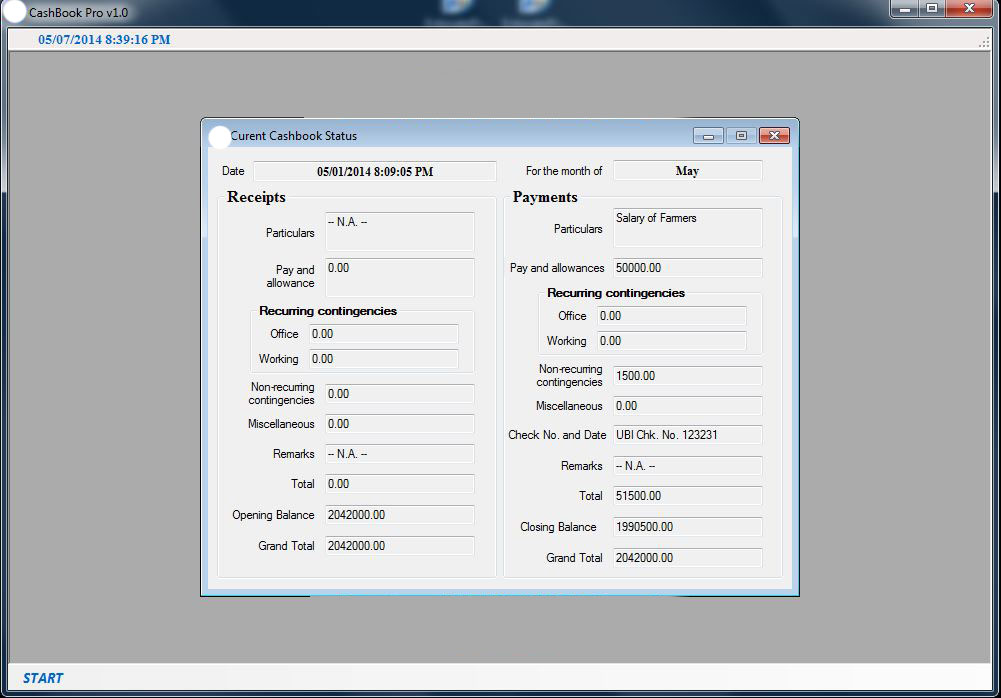
Instantly view the current status of office funds - the last successfully committed cashbook entry - without scrolling through historical records.
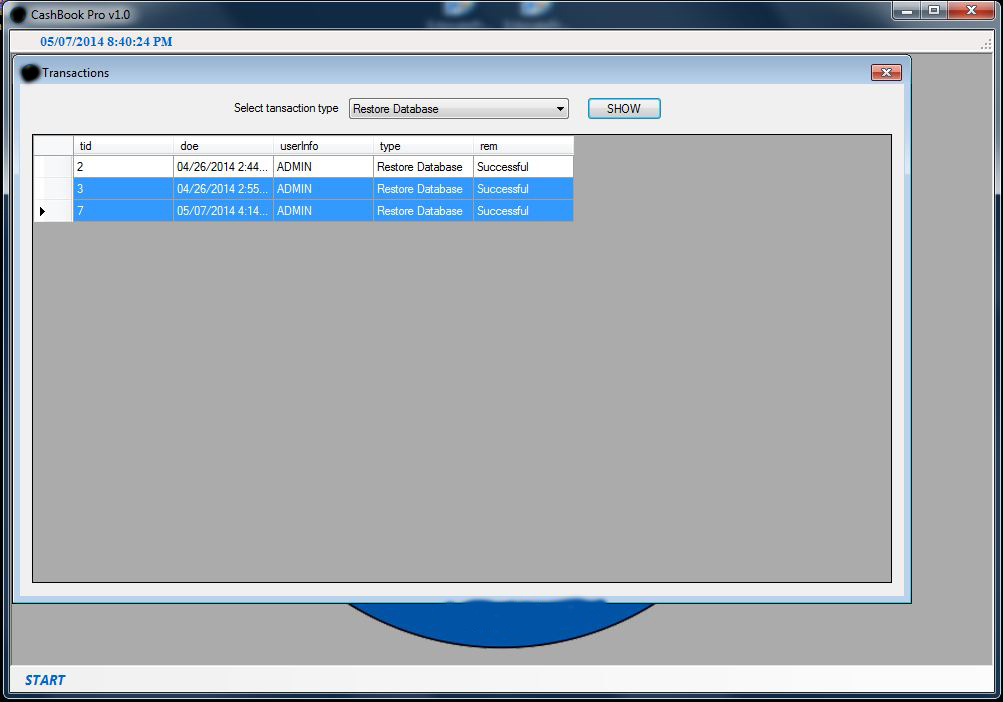
Every operation - login, cash entry, edit, delete, backup, restore, password change - is recorded in dedicated transaction tables with timestamps and user identity.
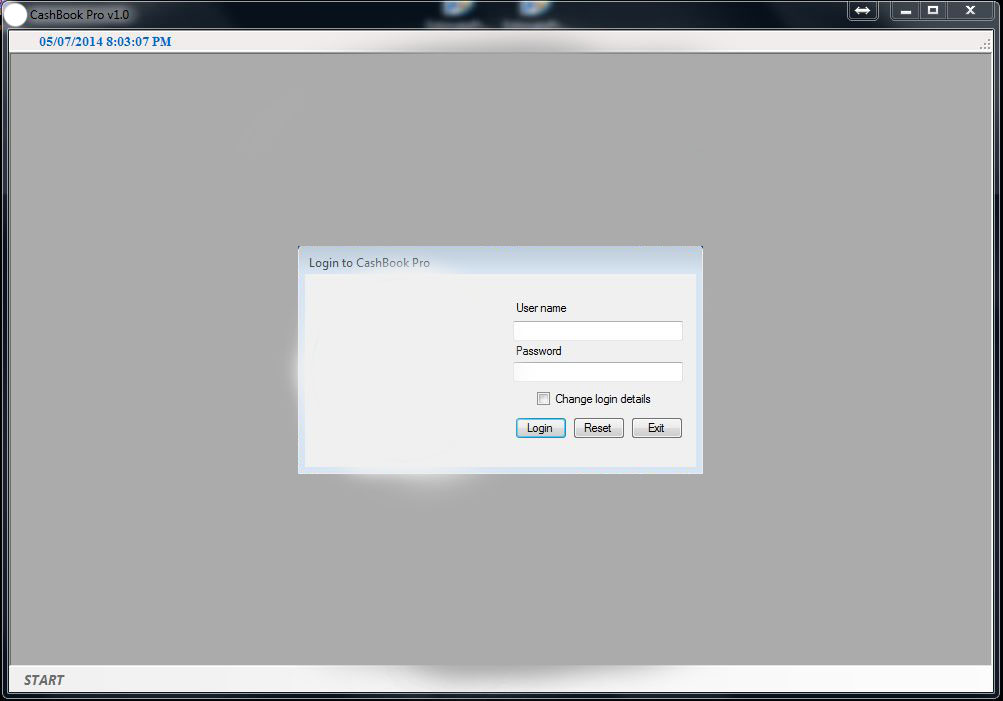
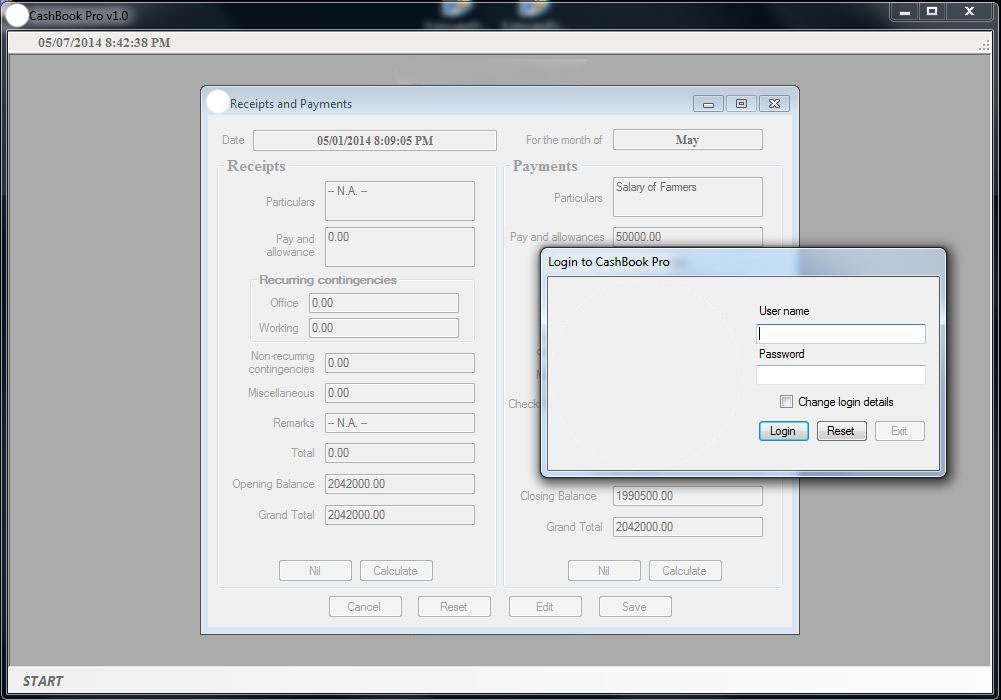
All successful and failed login attempts are captured in TTABLELOGIN with timestamps - providing a full access history for compliance and security review.
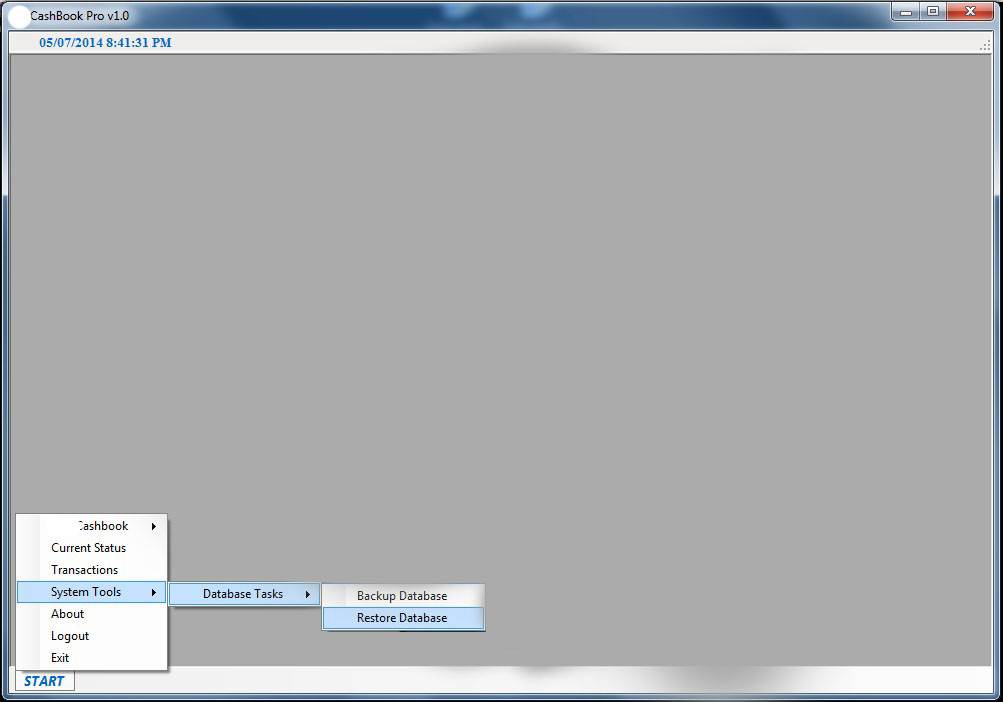
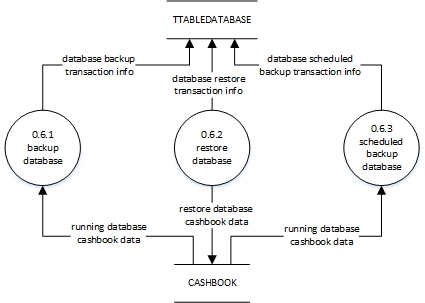
Manual backup/restore on demand, plus automatic scheduled backup every seven days to a dated folder on a separate drive - both preserving user credentials alongside transaction data.
Data loss was the highest risk scenario for an audit bound organisation. The application addresses this on two levels. Manual backup and restore gives the accountant direct control over point in time snapshots - both operations preserve the USERACCOUNTS table alongside the transaction data, meaning a restored environment is immediately operational without re setup.
The automated weekly backup runs silently in the background, creating a new dated folder on a drive separate from the primary installation every seven days. In a worst case scenario - hard drive failure between manual backups - the maximum data exposure is bounded to seven days of entries. All backup and restore operations are themselves recorded in TTABLEDATABASE, making the backup history auditable.
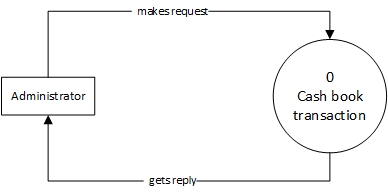
The project followed an iterative waterfall model. Design artefacts included Data Flow Diagrams at three levels - Level 0 (context), Level 1 (functional decomposition into six processes: login, manage cashbook, generate statement, view current status, view transactions, manage database) and Level 2 (subprocess detail) - alongside an Entity-Relationship diagram and a Use Case diagram covering all user facing functions.

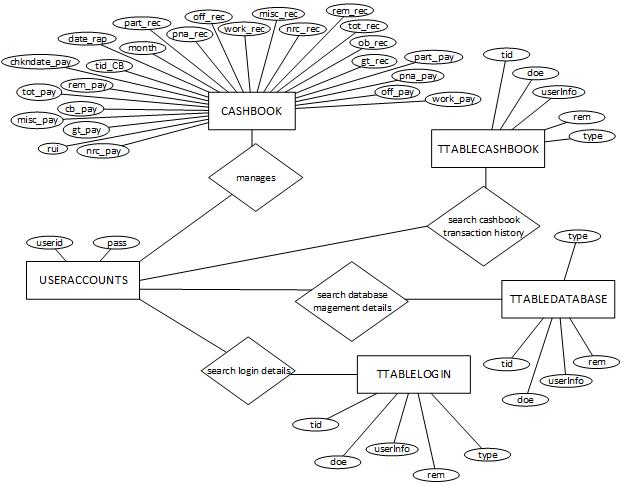
Five tables cover the full data model. The CASHBOOK table carries a richly structured daily entry - separate receipt and payment columns per expenditure head - while three audit tables (TTABLECASHBOOK, TTABLELOGIN, TTABLEDATABASE) share a common schema for maximum consistency and simpler cross-event querying.
| Column | Type | Description |
|---|---|---|
| tid_CB | numeric(20,0) | Transaction ID - unique, not null |
| date_rap | datetime | Date of receipt and payment |
| month | nvarchar(50) | Month name |
| part_rec / part_pay | nvarchar(250) | Particulars - receipts / payments |
| pna_rec / pna_pay | numeric(18,2) | Pay & allowance - receipts / payments |
| off_rec / off_pay | numeric(18,2) | Office contingency - receipts / payments |
| work_rec / work_pay | numeric(18,2) | Working contingency - receipts / payments |
| nrc_rec / nrc_pay | numeric(18,2) | Non-recurring contingency - receipts / payments |
| misc_rec / misc_pay | numeric(18,2) | Miscellaneous - receipts / payments |
| tot_rec / tot_pay | numeric(18,2) | Row total - receipts / payments |
| ob_rec / cb_pay | numeric(18,2) | Opening balance - receipts / payments (not null) |
| gt_rec / gt_pay | numeric(18,2) | Grand total - receipts / payments (not null) |
| chkndate_pay | nvarchar(250) | Cheque number and date of payment |
| rem_rec / rem_pay | nvarchar(250) | Remarks - receipts / payments |
| rui | nvarchar(100) | Record entry user info (not null) |
| Column | Type | Description |
|---|---|---|
| tid | numeric(18,0) | Transaction ID - unique, not null |
| doe | datetime | Date of entry |
| userInfo | nvarchar(50) | User identity at time of operation |
| type | nvarchar(250) | Operation type (e.g. CASH DETAIL UPDATE, LOGIN SUCCESS, BACKUP) |
| rem | nvarchar(250) | Remarks |
| Column | Type | Description |
|---|---|---|
| userid | nvarchar(20) | User ID - unique, not null |
| pass | nvarchar(20) | Password - not null |
The three audit tables share an identical schema by design - keeping the audit pattern uniform and join logic trivial when cross-referencing event types. TTABLECASHBOOK tracks cashbook CRUD operations; TTABLELOGIN captures all login attempts (successful and failed); TTABLEDATABASE records backup, restore and scheduled backup events. This separation means each audit stream can be queried and reported independently without schema changes.
The system was delivered to KVK Dhalai as a production-ready desktop application in June 2014, certified by Mr. Subrata Shib. The core architectural decisions - separating audit logs into dedicated tables per event class, running backup on a timer rather than relying on user discipline and locking edit/delete to only the last record to prevent backdated tampering - hold up as sound patterns. A modern rebuild would swap local SQL Server for a cloud hosted database, the backup folder for object storage and the single user model for role-based access - but the data model and audit logic would translate cleanly.
The full source code - VB.NET forms, SQL scripts and project files - is available on GitHub.